Skip to content

PDF to Word in Hebrew, even from a scan

A scanned contract, a letter, a form, or a PDF whose Hebrew turns backwards when you copy it: each page is read the way it looks, and the text comes out in a Word file you can edit, right to left, with tables as Word tables.

Drop a document here

PDF, JPG, PNG, WebP · up to 20 MB

No document at hand? Try a sample:

  • 5 free pages every day
  • No signup
  • Files are not stored on our side
Text

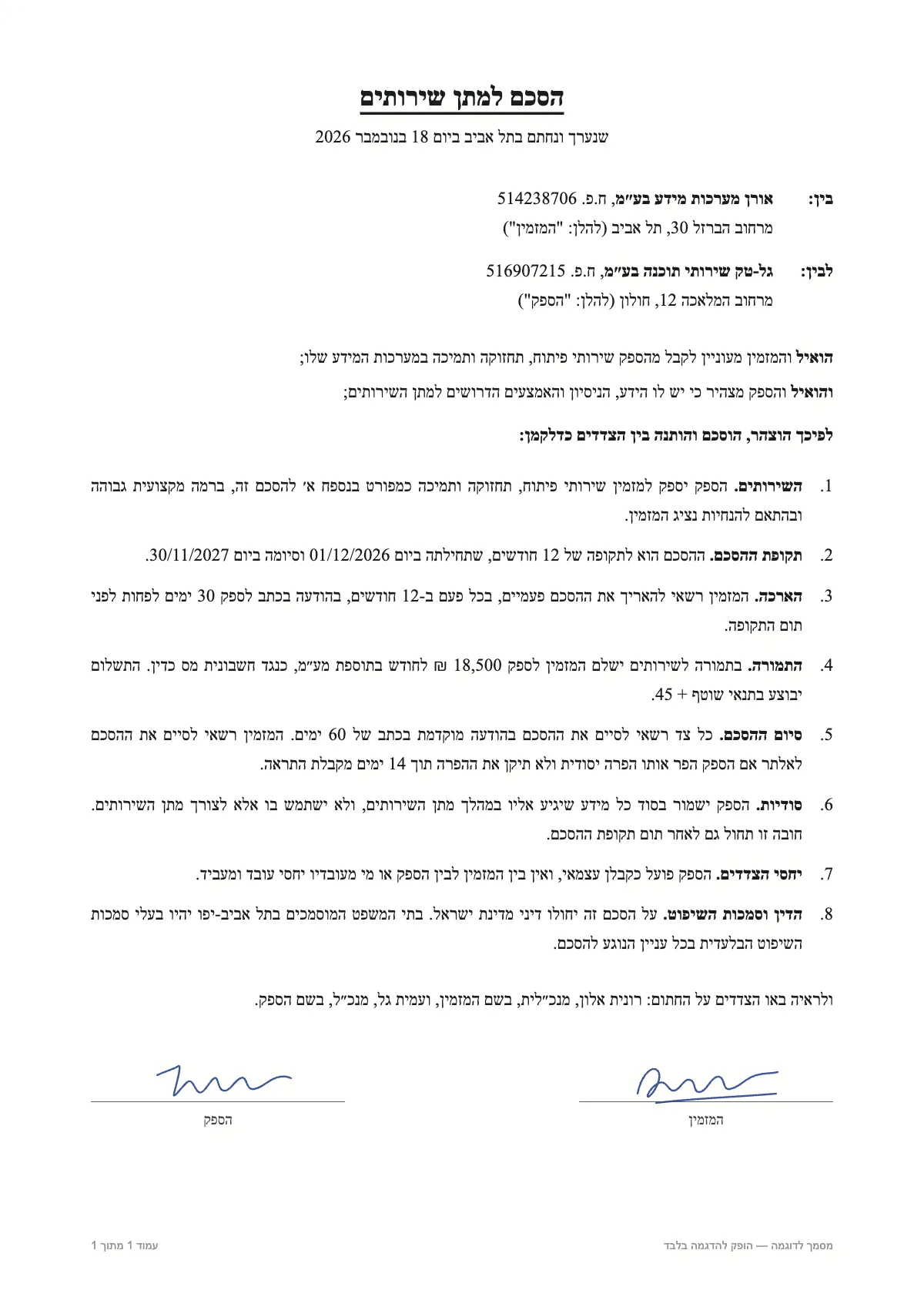
הסכם למתן שירותים

שנערך ונחתם בתל אביב ביום 18 בנובמבר 2026

בין: אורן מערכות מידע בע״מ, ח.פ. 514238706

מרחוב הברזל 30, תל אביב (להלן: "המזמין")

לבין: גל-טק שירותי תוכנה בע״מ, ח.פ. 516907215

מרחוב המלאכה 12, חולון (להלן: "הספק")

הואיל והמזמין מעוניין לקבל מהספק שירותי פיתוח, תחזוקה ותמיכה במערכות המידע שלו;

והואיל והספק מצהיר כי יש לו הידע, הניסיון והאמצעים הדרושים למתן השירותים;

לפיכך הוצהר, הוסכם והותנה בין הצדדים כדלקמן:

SampleA sample document and a result prepared in advance. This is how it looks in the workspace.
  1. 01

    Hebrew in the right order

    Every Hebrew line is a right-to-left paragraph, and numbers and English words inside it stay whole and in place.

  2. 02

    Scanned PDFs too

    A PDF that is a picture of paper, with no text to select, is read like any other: from the image of the page.

  3. 03

    Tables as tables

    A table on the page becomes a Word table with a header row, not loose lines of text.

How to convert a PDF to Word

Drop the PDF in the window. Each page is read in turn, and the text appears next to the page as it is read. Then click "Word" for a .docx file with every page, a page break between pages.

Why Hebrew comes out backwards elsewhere

A PDF sometimes stores its text in the order it is drawn on the page, not the order it is read. Copying or converting that text gives reversed Hebrew lines, and the parts of a mixed line, a number or an English word, swap places. Here the page is read the way an eye reads it, so the text comes out in the order you would type it.

What the file keeps, and what it does not

The file is for editing the content, not for recreating the look. It opens in Word, Google Docs, LibreOffice and Pages.

  • Kept: the text, paragraphs, tables and the direction of each line
  • Not kept: fonts, colours, images, newspaper-style columns and exact positions on the page
  • A page that was not read gets a line of its own in the file, so no page goes missing silently

Further reading

Questions

Questions about this tool

How many pages can I convert free?

Free: up to 5 pages per document and 5 pages a day, no signup. With a page pack, up to 100 pages per document.

Does it keep the original formatting?

Not all of it. The text and tables come through in reading order and right to left, but fonts, images and exact positions do not. The aim is a document you can edit.

Can I turn an image or a screenshot into Word?

Yes. An image, a phone photo or a screenshot is read like a PDF page, and the same Word button downloads it.

Do you keep my files?

No. Each page is read in memory and not stored on the server, and the result stays in your browser.