Skip to content

Invoices to Excel, without typing

Drop a tax invoice, a supplier invoice or a receipt, as a PDF or an image. The key fields come out in order, with the line items as a table, ready for Excel or your accounting software.

Drop a document here

PDF, JPG, PNG, WebP · up to 20 MB

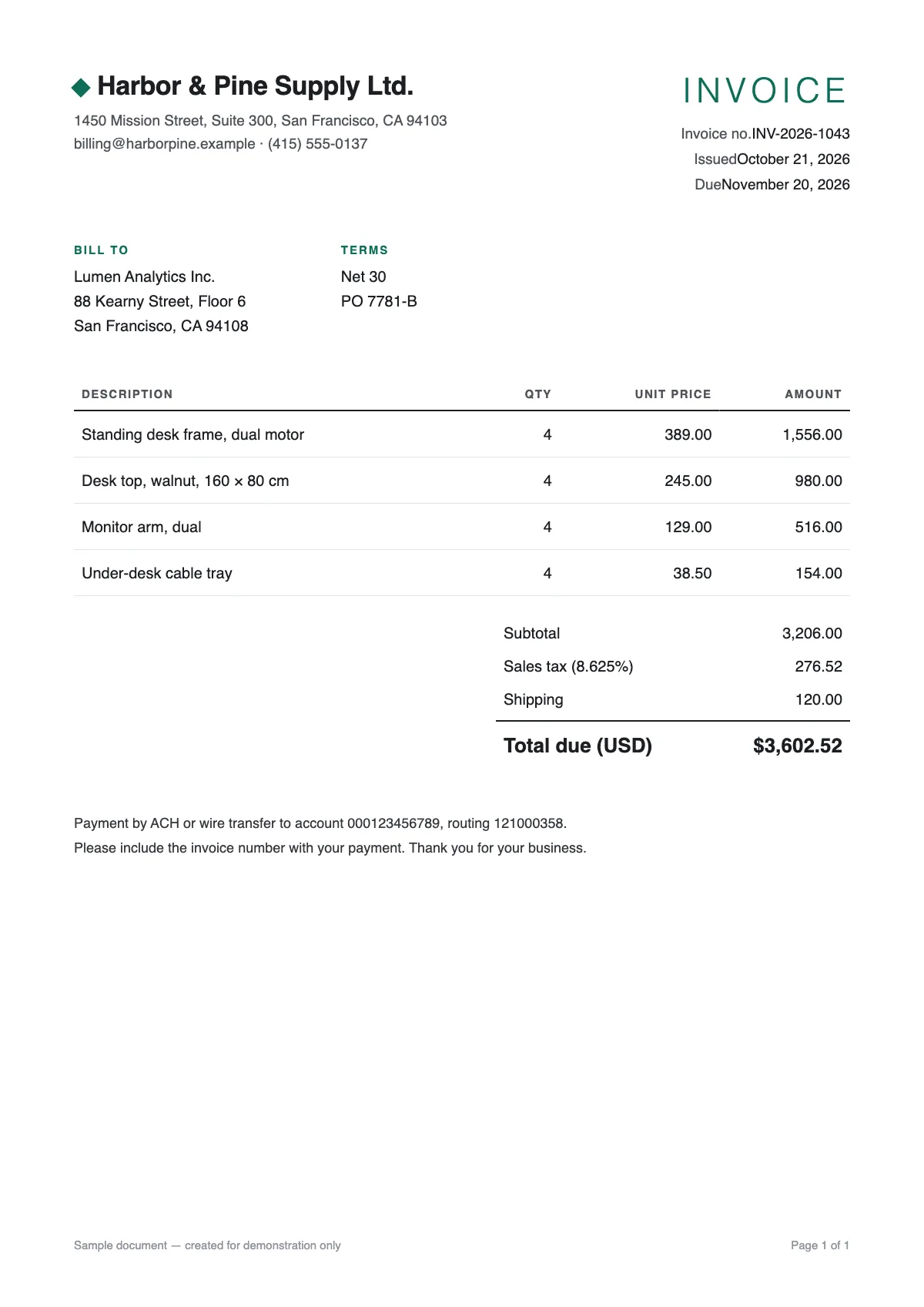
No document at hand? Try a sample:

  • 5 free pages every day
  • No signup
  • Files are not stored on our side
Fields6
  • VendorHarbor & Pine Supply Ltd.
  • Document numberINV-2026-1043
  • DateOctober 21, 2026
  • Subtotal3,206.00
  • Tax276.52
  • Total$3,602.52
SampleA sample document and a result prepared in advance. This is how it looks in the workspace.
  1. 01

    Invoice fields, including Israeli ones

    Vendor and tax ID, customer, invoice number, issue and due dates, subtotal, VAT rate, VAT, total and the Israeli allocation number.

  2. 02

    Line items

    Description, quantity, unit price and amount for every row, in the columns they are printed in.

  3. 03

    Values a computer can read

    Next to each printed value comes a normalised one: dates as dates, amounts as numbers, so Excel can sum them right away.

Straight into your ERPA file with one row per line item and fixed English columns: map it once in your ERP's import.See integrations

Which invoice fields are recognised

The engine looks for the standard fields of an invoice and returns only what is actually printed:

  • Vendor name, address, phone and tax ID
  • Customer name and tax ID
  • Invoice number and allocation number
  • Issue date and due date
  • Subtotal, discount, VAT or tax rate, tax amount and total
  • Payment method and currency

Israeli allocation numbers

Under Israel's "Israel Invoices" model, the Tax Authority assigns an allocation number to tax invoices above a threshold so the buyer can deduct their VAT. The threshold is coming down in stages, so more and more invoices carry one. When it is printed, it comes out as its own field.

From invoice to spreadsheet or accounting software

The Excel file has a Fields sheet, one sheet per table and a Text sheet. If you read several invoices, download each one, or export CSV and combine them. Review values marked in orange before they go into your books.

Further reading

Questions

Questions about this tool

Can I read several invoices at once?

Yes. Drop several files together and each is read in turn. Each page counts as one page.

My invoices are in English.

They read just as well. The fields are the same, and the sheet opens left-to-right for an English document.

Does this replace my accountant?

No. It saves typing. It does not validate invoices or decide what is deductible.

How do I get the data into accounting software?

Download Excel or CSV and use the software's import tool. There is no direct integration yet.