Skip to content

PDF to Excel: the tables, even from a scan

Delivery notes, bank statements, price lists and reports: tables come out in Excel with the same columns and rows, and pages that continue one table join into a single sheet.

Drop a document here

PDF, JPG, PNG, WebP · up to 20 MB

No document at hand? Try a sample:

  • 5 free pages every day
  • No signup
  • Files are not stored on our side
88213.xlsxRTL
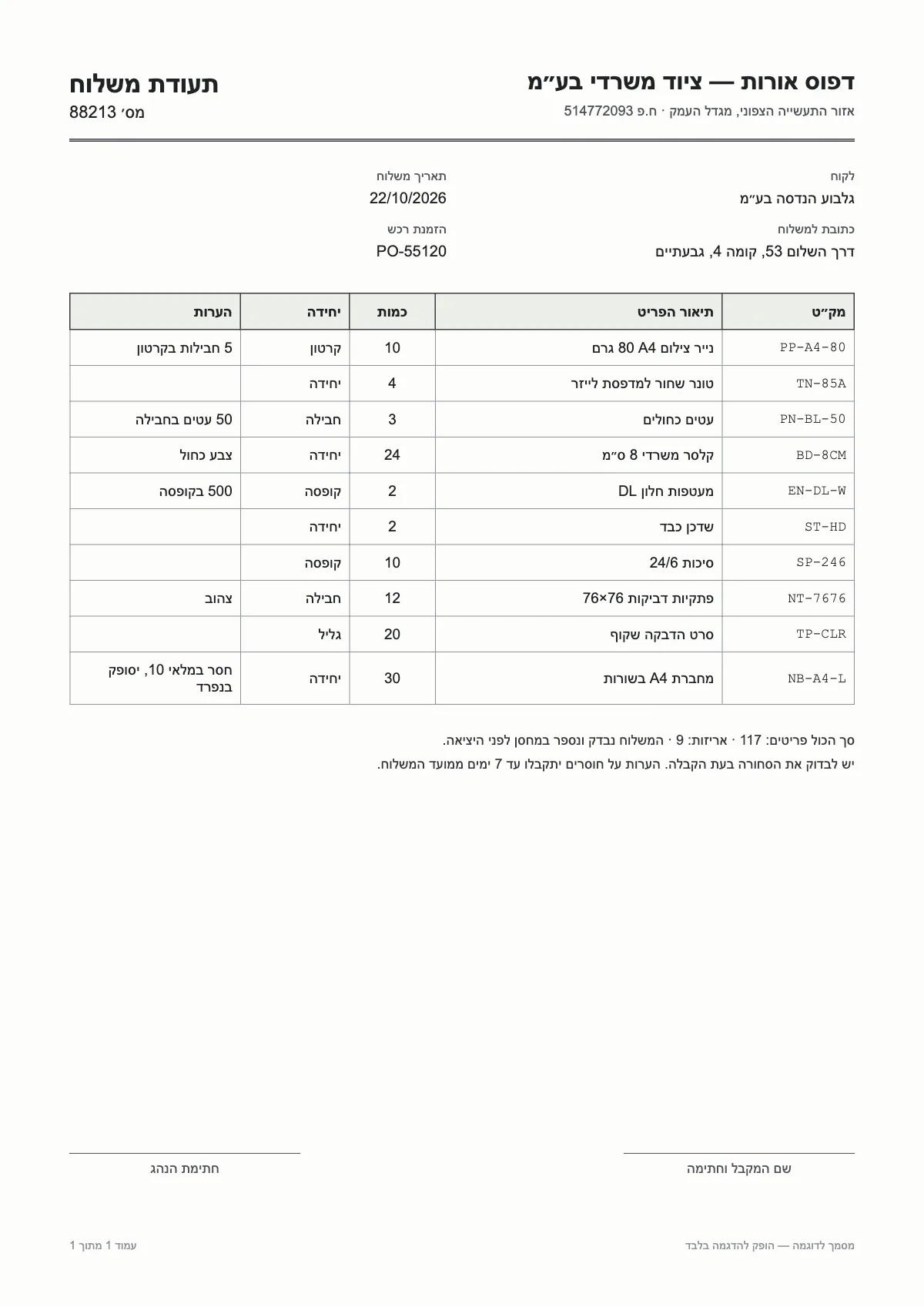
מק״טתיאור הפריטכמות
PP-A4-80נייר צילום A4 80 גרם10
TN-85Aטונר שחור למדפסת לייזר4
PN-BL-50עטים כחולים3
BD-8CMקלסר משרדי 8 ס״מ24
EN-DL-Wמעטפות חלון DL2
ST-HDשדכן כבד2
SampleA sample document and a result prepared in advance. This is how it looks in the workspace.
  1. 01

    Columns in reading order

    In a Hebrew table the rightmost column comes first, the way it is read, and the sheet opens in that direction.

  2. 02

    One table across pages

    When the columns match, rows from every page join one sheet, with a column for the page number.

  3. 03

    Numbers stay numbers

    Quantities and amounts are stored as numbers, while codes with leading zeros stay text and keep their zeros.

Scanned or digital PDF

Both go the same way: each page becomes an image in your browser and is read. A digital PDF, exported straight from software, usually reads cleaner than a scan of paper.

What the file contains

The Excel file is laid out so you can work with it right away:

  • A sheet per table, with a bold, filterable header row
  • A Fields sheet: details outside the table, such as document number, date and customer
  • A Text sheet: all the text on the pages

When the table is complicated

Merged cells, two-row headers and tables without lines are the hard cases. Columns follow what is printed, and an empty cell stays empty. Glance over the sheet before you rely on it.

Further reading

Questions

Questions about this tool

How many pages can I convert?

Free: up to 5 pages per document and 5 pages a day. With a page pack, up to 100 pages per document.

My PDF is password-protected.

Open it, save a copy without a password, and drop the copy.

Can I get CSV instead of Excel?

Yes. On the Tables tab, the CSV download exports the table shown, encoded so Excel reads Hebrew.