Skip to content

Snap a receipt, get a spreadsheet row

Take a photo of a receipt or drop a scan. The merchant, date, items, total, VAT and payment method come out in order, ready for an expense claim or your accountant.

Drop a document here

PDF, JPG, PNG, WebP · up to 20 MB

No document at hand? Try a sample:

  • 5 free pages every day
  • No signup
  • Files are not stored on our side
Fields5
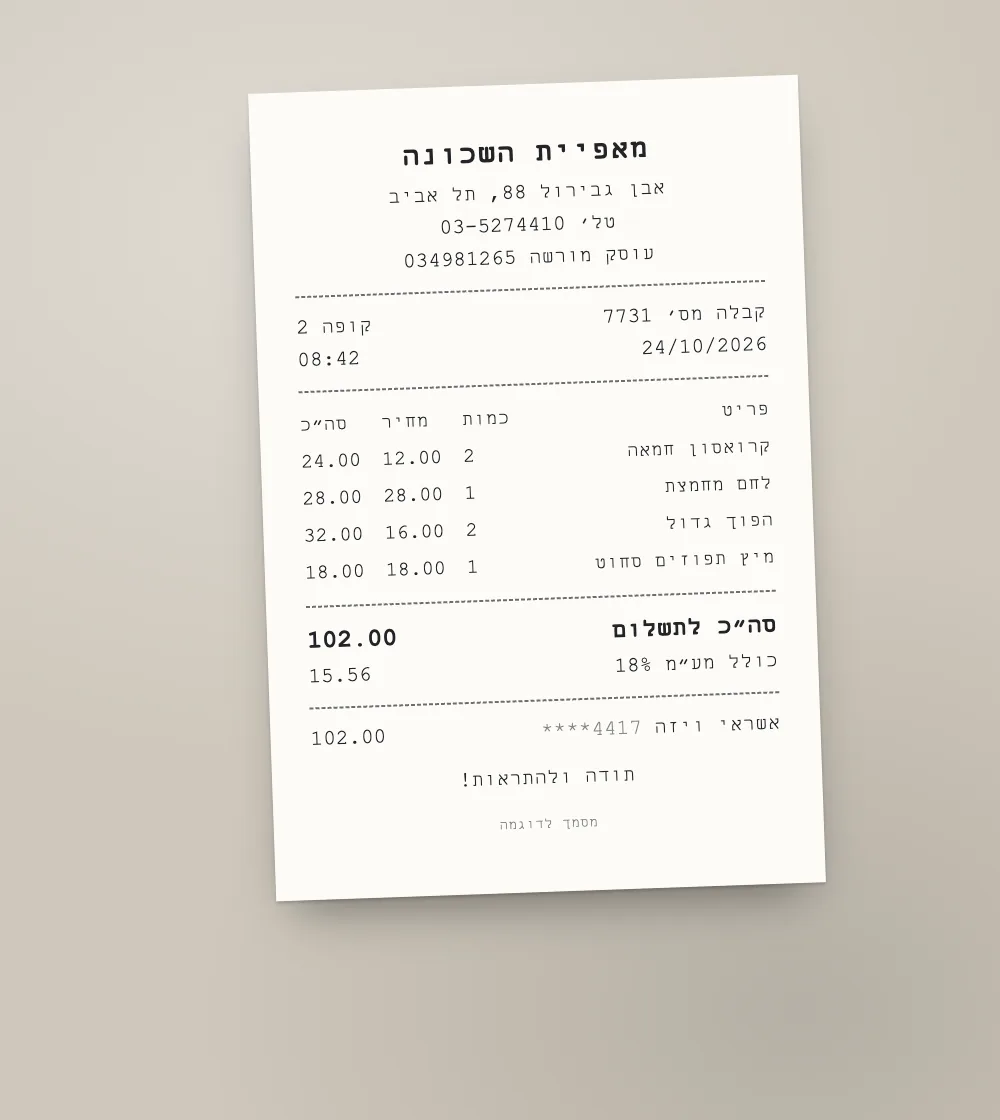
  • Vendorמאפיית השכונה
  • Date24/10/2026
  • Total102.00
  • VAT15.56
  • Payment methodאשראי ויזה ****4417
SampleA sample document and a result prepared in advance. This is how it looks in the workspace.
  1. 01

    Straight from the camera

    On a phone, the camera button opens the camera. The photo is turned upright and prepared in your browser.

  2. 02

    Crumpled receipts too

    Shot at an angle, on a table, with folds: it reads as it is. Faded values are marked for checking.

  3. 03

    Totals as numbers

    Total and VAT also come out as numbers, so a month of receipts adds up in Excel.

Straight into your ERPA file with one row per line item and fixed English columns: map it once in your ERP's import.See integrations

How to photograph a receipt so it reads well

Receipts are small and fade, so the photo matters more than usual:

  • Lay the receipt flat on a dark surface so its edges stand out.
  • Shoot from above in even light, without a flash reflecting off the paper.
  • For a long receipt, take two photos, each one a separate image.
  • Thermal paper fades over time. Photograph receipts while they are fresh.

From a month of receipts to one sheet

Read the receipts one after another and download a fields CSV for each. The CSV has a fixed column per field, so they paste into one sheet easily.

Further reading

Questions

Questions about this tool

The receipt is faded. Will it work?

Often, yes. Values that are hard to read are marked in orange; compare them with the receipt.

Can I photograph several receipts in one picture?

One receipt per photo works best, so each receipt comes out with its own fields.

Does this replace keeping the original receipts?

No. It extracts the data. Ask your accountant what you need to keep and for how long.