Skip to content

Convert Hebrew handwriting to text

Upload a photo or PDF of a handwritten note, notebook page or filled-in form. Review the transcription alongside the original, check the marked words and export the edited text to Word.

Drop a document here

PDF, JPG, PNG, WebP · up to 20 MB

No document at hand? Try a sample:

  • 5 free pages every day
  • No signup
  • Files are not stored on our side
Have many handwritten pages? Contact us
Text

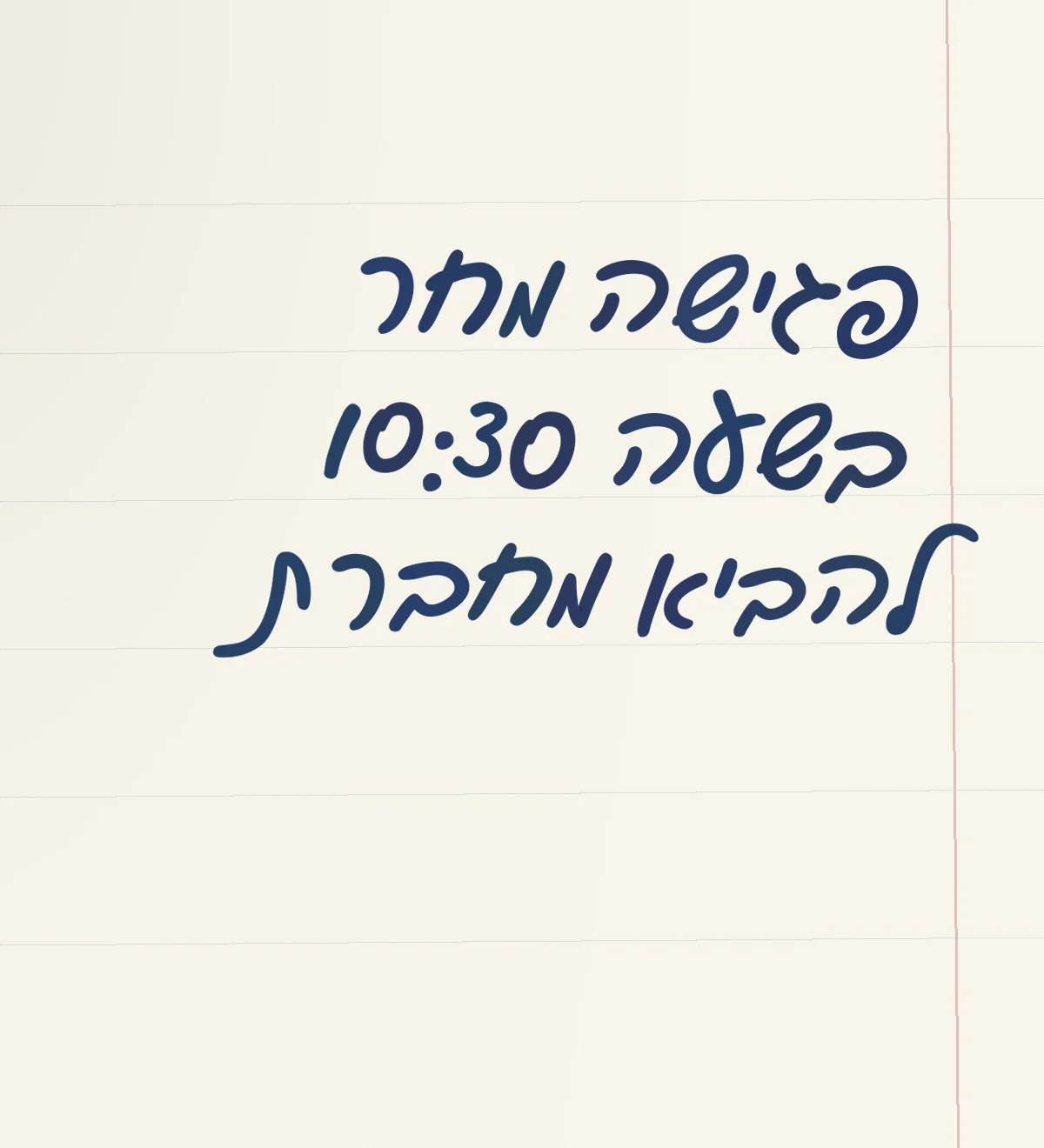
פגישה מחר

בשעה 10:30

להביא מחברת

SampleA sample document and a result prepared in advance. This is how it looks in the workspace.
  1. 01

    Line-by-line transcription

    Hebrew stays in reading order, with numbers and English words in place.

  2. 02

    Review alongside the original

    Go through marked words and compare names, numbers and dates with the image.

  3. 03

    Editable text

    Correct the transcription in the Text tab, then copy it or download Word or TXT.

How to scan handwriting

Photograph the page in even light and check that the lines are sharp and in frame. You can also upload a scanned PDF. Each page is read separately.

What to review in the transcription

Accuracy depends on the writing and the image. Crowded handwriting, faint pencil and overlapping lines are harder to read. Treat the transcription as a draft and check important details against the original.

Further reading

Questions

Questions about this tool

Can I read Hebrew and English handwriting on the same page?

Yes. The tool handles pages that mix Hebrew, English and numbers. Compare the words and numbers with the original after the page is read.

Can I upload a notebook scanned to PDF?

Yes. Upload a PDF up to 20 MB. Each page is read separately. Read up to 5 pages per document and 5 pages a day free, with no signup.

Can I edit the transcription before downloading it?

Yes. Edit the transcription in the workspace's Text tab, then copy it or download it as a Word or TXT file.